
Top 5 AI Tools to Remove Blur from Images
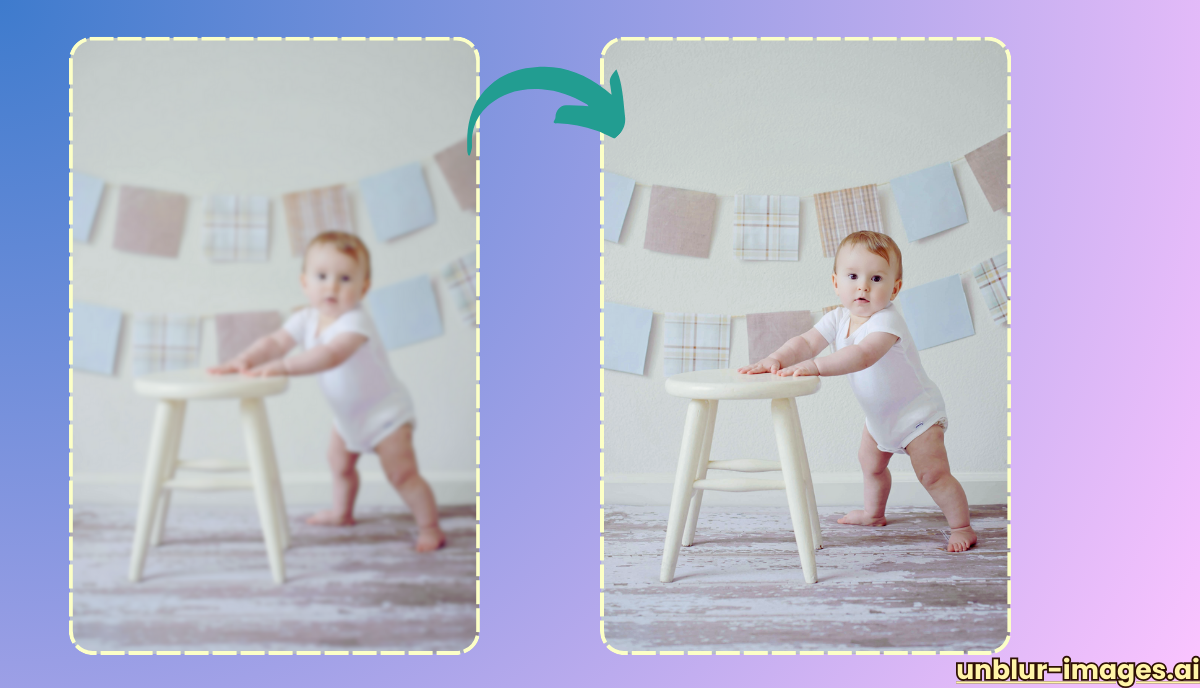
The ability to deblur images has become increasingly important in today’s visually driven world. Whether you’re dealing with accidental camera shake, motion blur, or out-of-focus shots, AI-powered deblurring tools can help rescue your photos and videos.

In this review, we’ll dive into five top-rated tools which you can use ai to remove blur from photos, examining their features, performance, and ease of use.
-
VanceAI Image Sharpener
VanceAI Image Sharpener utilizes advanced AI algorithms to tackle various types of blur, including motion blur and out-of-focus blur. It excels in preserving image details while reducing noise, ensuring a natural and sharp result.
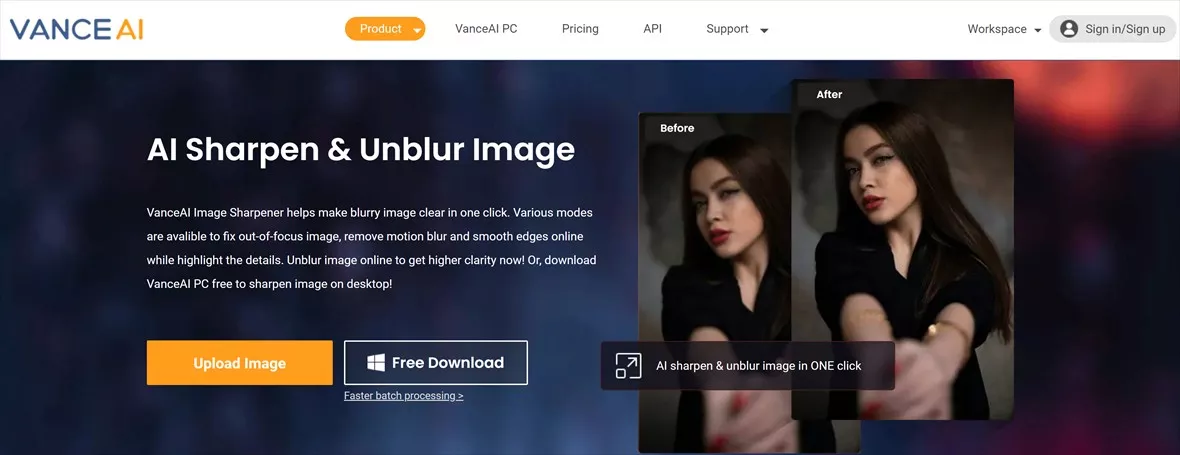
- Key Features:
- Batch processing for handling multiple images at once
- Customizable sharpness adjustments
- User-friendly interface with preview capabilities
- Performance: VanceAI performs exceptionally well in removing various types of blur, including motion blur and out-of-focus blur. It excels in maintaining image details and reducing noise, resulting in naturally sharp images. Its AI algorithms are efficient, producing results quickly without compromising quality.
- Strengths: Batch processing, adjustable sharpness levels, and a user-friendly interface make it suitable for both beginners and experienced users.
- Pros:
- Excellent performance in deblurring both photos and videos
- Ability to enhance image sharpness without introducing artifacts
- Free version available for basic use
- Cons:
- More advanced features require a paid subscription
-
Topaz Sharpen AI
Topaz Sharpen AI is a powerful tool designed specifically for photographers and videographers. It employs machine learning to distinguish between real detail and noise, allowing for more accurate and natural deblurring.
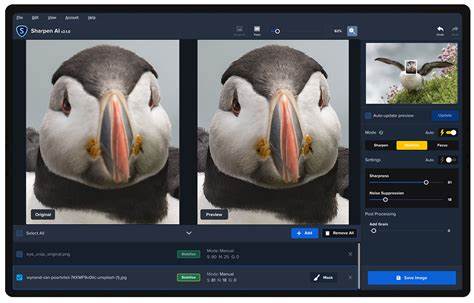
- Key Features:
- Three distinct deblurring modes for different types of blur
- Batch processing with customizable settings
- Plugin integration with popular editing software like Adobe Photoshop and Lightroom
- Performance: Topaz Sharpen AI is a powerhouse for serious photographers and videographers. Its machine learning algorithms differentiate between true detail and noise, enabling more accurate and natural deblurring. It’s particularly effective at salvaging severely blurred images.
- Strengths: Three dedicated deblurring modes for different scenarios, batch processing, and plugin integration for seamless workflow.
- Pros:
- Remarkable ability to recover detail from severely blurred images
- Versatile options for different types of blur
- Excellent noise reduction capabilities
- Cons:
- Higher price point compared to other tools
- Resource-intensive and may require a powerful computer
-
SmartDeblur
SmartDeblur offers both an automatic and manual deblurring mode, giving users greater control over the results. It’s particularly effective at removing Gaussian blur, a common type of blur caused by lens imperfections or out-of-focus shots.

- Key Features:
- Automatic and manual deblurring options
- Ability to remove specific types of blur, such as motion or Gaussian blur
- Real-time preview of deblurring results
- Performance: SmartDeblur offers good performance in removing Gaussian blur, a common issue in out-of-focus shots. Its automatic and manual modes provide flexibility, while the real-time preview helps you fine-tune the results. However, it may struggle with complex or severely blurred images.
- Strengths: User-friendly interface, free version for basic use, and specialized focus on Gaussian blur.
- Pros:
- User-friendly interface with intuitive controls
- Free version available with limited features
- Good performance in removing Gaussian blur
- Cons:
- May struggle with complex or severely blurred images
- Limited batch processing capabilities
-
Blurity
Blurity takes a unique approach to deblurring by allowing users to select a “blind” region within the image for the algorithm to analyze. This can help improve deblurring accuracy, especially in cases where the type of blur is unclear.

- Key Features:
- “Blind” region selection for more accurate deblurring
- Simple and easy-to-use interface
- Free for personal use
- Performance: Blurity’s unique “blind” region selection offers a distinct advantage in deblurring accuracy, particularly with unclear blur types. Its performance is generally good, but results can vary depending on image complexity and the selected blind region.
- Strengths: Innovative approach, user-friendly interfaces, and free for personal use.
- Pros:
- Innovative approach to deblurring
- Particularly effective with unclear or complex blur
- Free and easy to use
- Cons:
- Limited features compared to other tools
- Results may vary depending on image complexity
-
Movavi Photo DeNoise
While primarily designed for noise reduction, Movavi Photo DeNoise also includes deblurring functionality. It’s a good option for users who want a multi-purpose tool for both noise reduction and image sharpening.
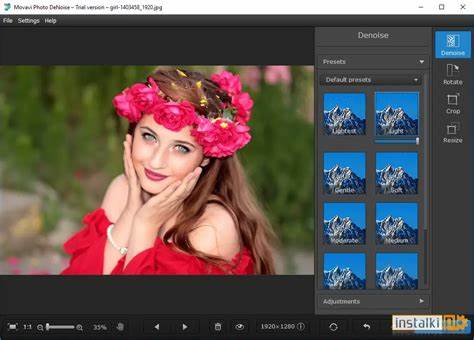
- Key Features:
- Noise reduction and deblurring in a single tool
- Batch processing for multiple images
- Adjustable deblurring strength
- Performance: Movavi Photo DeNoise, while primarily a noise reduction tool, also offers deblurring functionality. Its deblurring performance is decent, especially for mild blur. However, it may not be as powerful as dedicated deblurring tools and might struggle with severe blur.
- Strengths: Convenient for users who need both noise reduction and deblurring, easy-to-use interface, and affordable price.
- Pros:
- Convenient for users who need both noise reduction and deblurring
- Easy-to-use interface with straightforward controls
- Affordable pricing
- Cons:
- Deblurring capabilities may not be as advanced as dedicated deblurring tools
- May not be suitable for severely blurred images
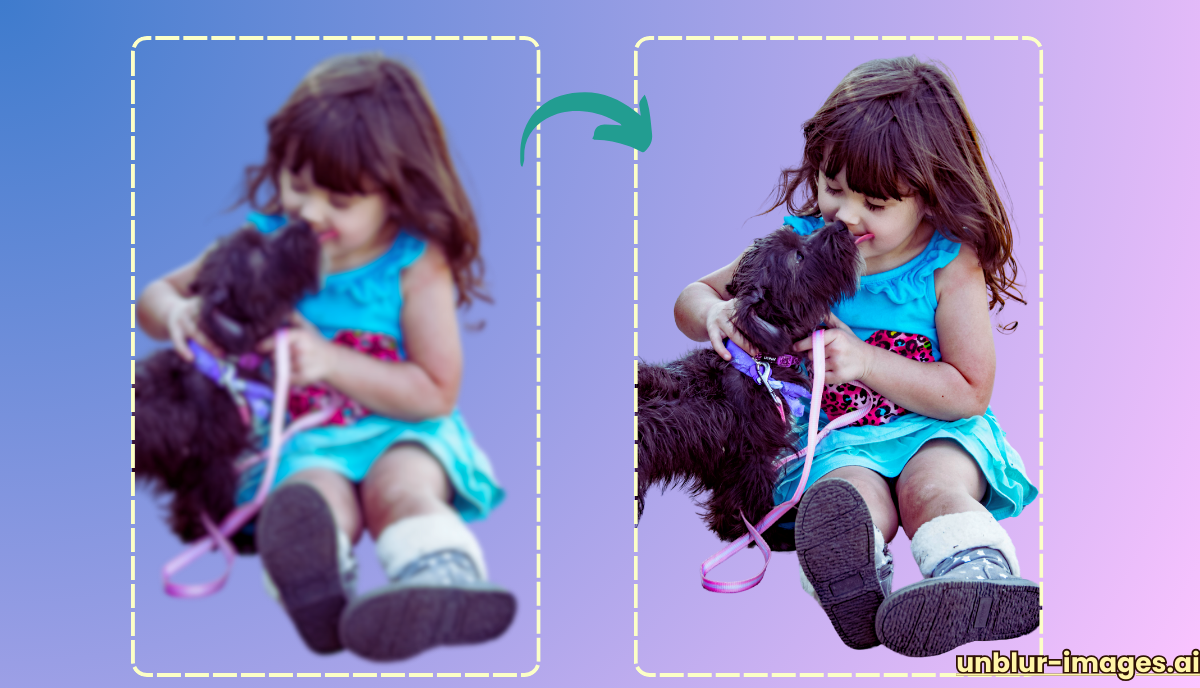
Important Considerations When Choosing an AI Deblurring Tool
- Type of Blur: Different tools excel at removing specific types of blur. Consider whether you primarily deal with motion blur, out-of-focus blur, or other types.
- Ease of Use: If you’re not tech-savvy, choose a tool with a user-friendly interface and simple controls.
- Features: Some tools offer additional features like noise reduction, batch processing, and plugin integration. Consider which features are most important to you.
- Cost: Prices for AI deblurring tools can vary significantly. Decide on a budget and choose a tool that offers good value for the price.
The Future of AI Deblurring
The field of AI deblurring is rapidly evolving. As AI algorithms become more sophisticated, we can expect even more impressive results in the future. New tools may emerge with the ability to handle complex blur scenarios and recover even more detail from severely damaged images.
Additionally, we may see greater integration of AI deblurring into everyday devices, such as smartphones and cameras. This could make it easier than ever to capture sharp, clear images, even in challenging conditions.
Ethical Considerations
While AI deblurring offers many benefits, it’s important to consider the potential ethical implications. Deblurring tools can be used to manipulate images, potentially misleading viewers or spreading misinformation. As these tools become more powerful, it’s crucial to use them responsibly and ethically.
Conclusion
AI deblurring tools have revolutionized the way we approach image restoration. Whether you’re a professional photographer, a casual smartphone user, or anyone who wants to improve their photos, these tools offer a powerful solution for removing blur and enhancing image quality.
By carefully considering your specific needs and exploring the options available, you can find the perfect AI deblurring tool to help you rescue your blurry photos and videos. As AI technology continues to advance, we can expect even more impressive and accessible deblurring tools in the future.
FAQs
- Can AI deblurring tools fix any type of blur?
While AI deblurring tools are remarkably effective, they have limitations. They generally work best with mild to moderate blur caused by camera shake, motion, or slightly out-of-focus shots. Severe blur, such as extreme motion blur or significantly out-of-focus images, may not be fully correctable. Additionally, AI algorithms might struggle with complex blur patterns or images with excessive noise.
- Are free AI deblurring tools as good as paid ones?
Free AI deblurring tools can be a good starting point, especially for basic deblurring tasks. However, paid tools often offer more advanced features, better performance, and greater control over the deblurring process. If you require more sophisticated deblurring or have specific needs, a paid tool might be a worthwhile investment.
- Can I use AI deblurring tools on my smartphone?
Yes, there are AI deblurring apps available for both iOS and Android devices. These apps often offer a simplified version of the desktop software, but they can still be effective at removing blur from photos taken on your smartphone. Some popular options include Remini, Enhance Photo Quality, and PhotoDirector.
